


Free template
Packing slip template
A packing slip for parcels and pallets, as an Excel file that works out backorders and as a print-ready PDF.
Template download
Download the template
- XLSXPacking slip template for ExcelXLSX file, 9.8 KBOpens in Excel, Google Sheets and Numbers. Totals are formulas.
- PDFPacking slip template, print-readyPDF file, 41 KBPrint-ready, US Letter. Fill it in by hand or in a PDF editor.
- Free to use and change. No signup and no email needed.
- Neutral layout: add your own name, logo and terms.
How to fill in the packing slip
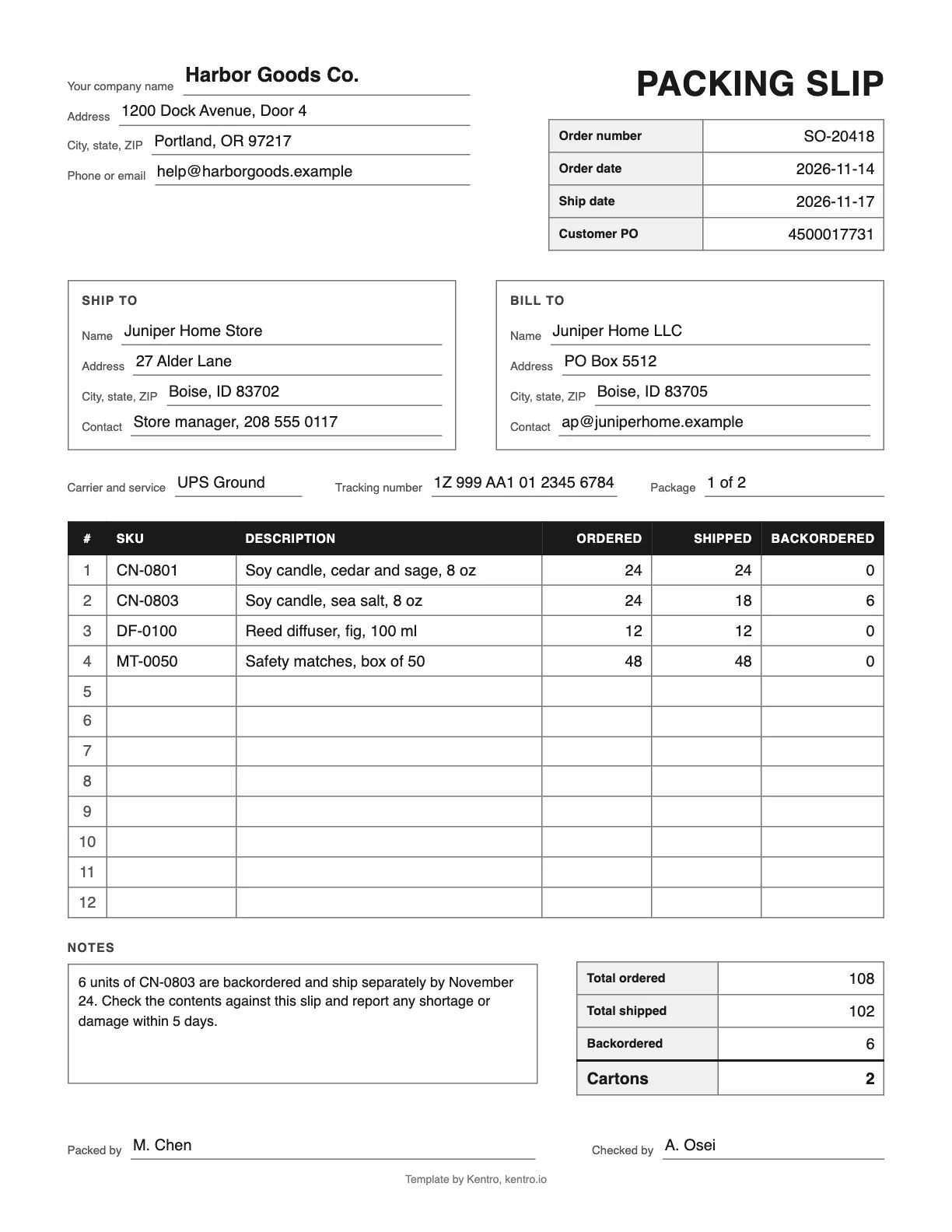
The Excel file has 20 item rows and works out the backordered quantity. The PDF has the same fields for filling in by hand.
Step 1: Add your company and the order details
Replace the gray text with your company name and address. Enter the order number, the order date, the ship date and the customer PO number if the buyer gave you one.
Step 2: Enter the ship-to and bill-to addresses
The ship-to address is where the package goes. The bill-to address is who pays. For a retail order they are often different, so fill in both.
Step 3: List what was ordered and what is in the box
Use one row per item: SKU, description, quantity ordered and quantity shipped in this package. The backordered quantity is the difference, calculated for you.
Step 4: Add the carrier, tracking and package count
Note the carrier and service, the tracking number, and which package this is when the order ships in more than one box, for example 1 of 2.
Step 5: Explain anything that is missing
Use the notes for backorder dates, substitutions and how to report a shortage or damage. Then add who packed and who checked the order.
Step 6: Print it and put it with the shipment
Print one copy for each package. Put it inside the box on top of the goods, or in a clear pouch on the outside of a carton or pallet.
What is a packing slip?
A packing slip is a document that travels with a shipment and lists what is inside: each item, the quantity ordered and the quantity shipped. The receiver checks the contents against it, and the packer uses it to confirm the order before sealing the box. It shows no prices, which separates it from an invoice.
Pick and pack in the glossaryPacking slip questions
What is the difference between a packing slip and an invoice?
A packing slip lists what is in the package and goes with the goods, for the person who opens the box. An invoice lists what is owed and goes to the person who pays. The packing slip has quantities and no prices. The invoice has prices, tax, the total and payment terms. One order can produce several packing slips but usually one invoice.
Should a packing slip show prices?
Usually not. The package may be opened by a warehouse receiver or by someone receiving a gift, and neither needs to see what was paid. Leaving prices off also avoids confusion with the invoice. The exception is an international shipment, where customs needs a commercial invoice with values. That is a separate document from the packing slip.
Do I need a packing slip for every package?
It is good practice, and many retailers and marketplaces require one. When an order ships in several boxes, put a slip in each that lists what that box holds and mark it 1 of 3, 2 of 3 and so on. The receiver can then check each box on its own and see at once whether a box is missing.
Where does the packing slip go in the box?
Put it on top of the goods, so the receiver sees it as soon as the box is opened, or in a clear adhesive pouch on the outside of the carton. For a pallet, attach the pouch to the side at eye level and keep one copy with the bill of lading. Retailers often state the exact place in their routing guide, so check it before you ship to a store.
Packing slips that come from the order
Kentro OS creates pick lists, packing slips and shipping labels from the same orders, so nobody retypes an address or a quantity.