


Free template
Purchase order template
A clean purchase order to send to a supplier, as an Excel file that totals itself and as a print-ready PDF.
Template download
Download the template
- XLSXPurchase order template for ExcelXLSX file, 10 KBOpens in Excel, Google Sheets and Numbers. Totals are formulas.
- PDFPurchase order template, print-readyPDF file, 43 KBPrint-ready, US Letter. Fill it in by hand or in a PDF editor.
- Free to use and change. No signup and no email needed.
- Neutral layout: add your own name, logo and terms.
How to fill in the purchase order
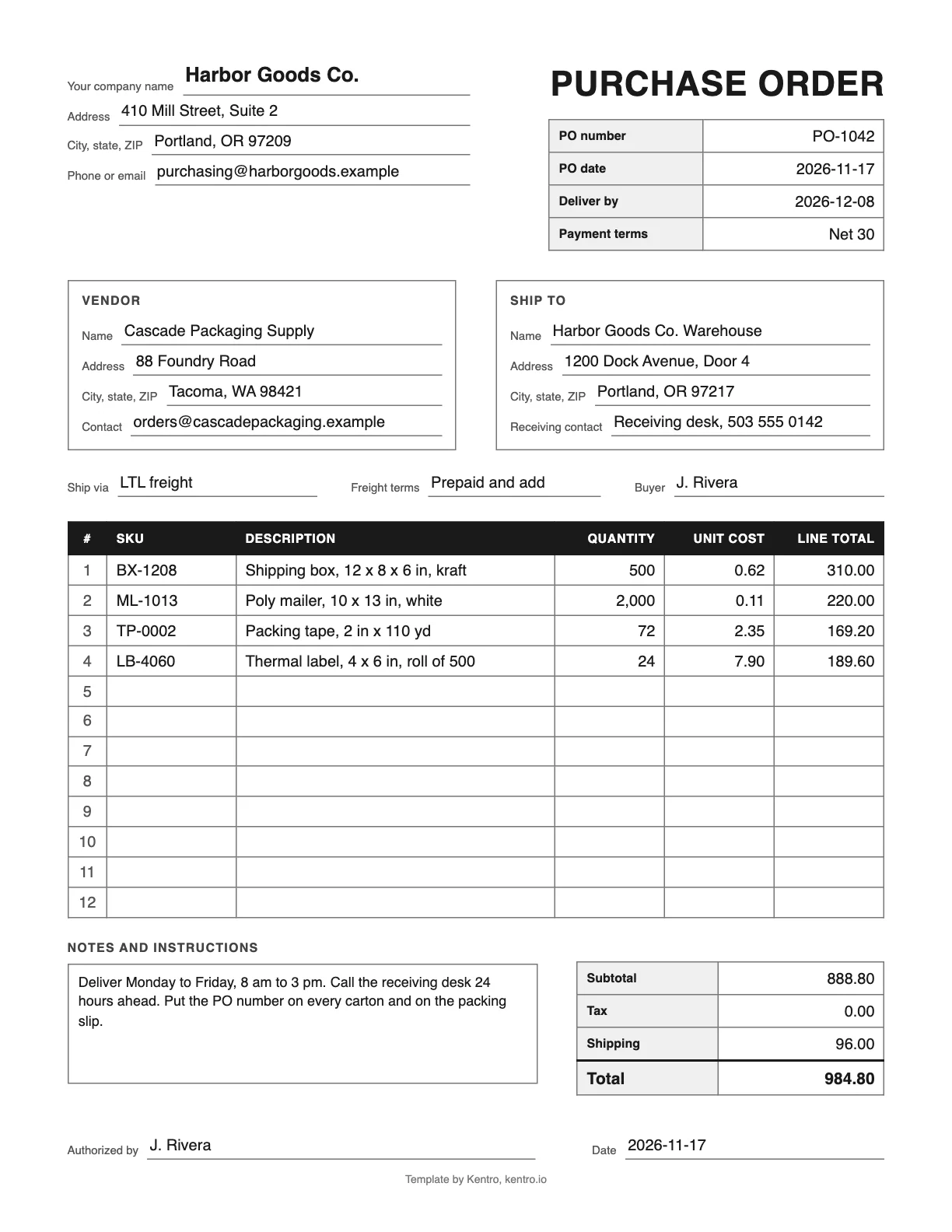
The Excel file has 20 item rows and works out every total. The PDF has the same fields for filling in by hand.
Step 1: Add your company and the vendor
Replace the gray text at the top with your company name and address. Then enter the vendor name, address and the contact who receives your orders.
Step 2: Number and date the order
Give the order a PO number you have not used before, the PO date, the date you need the goods by, and the payment terms you agreed, for example Net 30.
Step 3: Say where the goods go
Enter the ship-to address and a receiving contact. Add the carrier or method and the freight terms, so both sides know who books and pays for the transport.
Step 4: List the items
Use one row per item: the SKU the vendor knows it by, a description, the quantity and the unit cost. The line total is calculated for you.
Step 5: Check the totals
Type a tax rate if tax applies and the shipping charge if you know it. The subtotal, tax and total update on their own. Compare the total with the vendor quote.
Step 6: Sign, save as PDF and send
Add delivery hours or labeling instructions in the notes, then your name and the date. Export the sheet as a PDF, send it to the vendor and keep the spreadsheet as your record.
What is a purchase order?
A purchase order, or PO, is a document a buyer sends to a supplier to order goods. It lists the items, quantities and agreed prices, the delivery address and date, and the payment terms. Once the supplier accepts it, both sides have a written record of what was ordered, which receiving and accounts payable later check against.
What the template includes
| Field | What to enter |
|---|---|
| PO number | A number you have not used before. It ties the order to the delivery and the invoice. |
| PO date and deliver by | The day you place the order and the day you need the goods. |
| Payment terms | What you agreed with the vendor, for example Net 30 or 50% deposit. |
| Vendor | Company name, address and the contact who handles orders. |
| Ship to | The warehouse or address that receives the goods, with a receiving contact. |
| Ship via and freight terms | The carrier or method, and who pays for the transport. |
| Line items | SKU, description, quantity, unit cost and line total, 20 rows in Excel and 12 in the PDF. |
| Subtotal, tax, shipping, total | Calculated in Excel from the rows, the tax rate and the shipping charge. |
| Notes and instructions | Delivery hours, labeling, packing or quality requirements. |
| Authorized by and date | Who approved the order, and when. |
Three checks before you send it: the SKUs are the vendor codes and not only your own, the unit cost matches the latest quote, and the deliver-by date allows for the vendor lead time. When the goods arrive, receive them against the purchase order line by line and note any shortage on the day.
Purchase order questions
Is a purchase order a legally binding contract?
A purchase order on its own is an offer to buy. It generally becomes a binding agreement when the supplier accepts it, in writing or by starting to fill the order, on the terms it states. That is why the price, quantity, delivery date and payment terms should be exact. Contract law varies by place, so ask a lawyer about large or unusual orders.
What is the difference between a purchase order and an invoice?
The buyer issues the purchase order before the goods ship, to say what is being ordered and at what price. The supplier issues the invoice afterward, to ask for payment. Many businesses match three documents before they pay: the purchase order, the receipt of goods and the invoice. If the quantities and prices agree, the invoice is approved.
How should I number purchase orders?
Use a simple sequence that never repeats, such as PO-1001, PO-1002 and so on. A prefix for the year or the warehouse can help when volume grows, for example PO-2026-0412. Avoid reusing numbers or putting meaning into them that may change. The number should appear on the vendor confirmation, the cartons, the packing slip and the invoice.
Can I open the purchase order template in Google Sheets?
Yes. Upload the Excel file to Google Drive and open it with Google Sheets, or open it in Numbers on a Mac. The line totals, subtotal, tax and total use standard formulas that work in all three. To send the order, export the sheet as a PDF so the vendor sees the same layout you do.
Outgrowing spreadsheets for purchase orders?
Kentro OS keeps purchase orders, vendors and receiving in one place: the warehouse receives against the purchase order, and stock updates as it is scanned in.